Client portal guide
Client portal software for therapists that keeps communication organized.
A therapy client portal should make common client tasks easier without opening internal clinical workflows to the wrong audience.
What clients can handle in a focused portal
NuviaMy gives clients a dedicated portal experience for upcoming appointments, shared documents, visible invoices, intake packets, service package context, and appointment change requests.
Why portal boundaries matter
- Client users are redirected away from internal practice pages.
- Portal access links each login to one client record and one practice.
- Practices decide which documents are visible to the client.
- Requests flow into an inbox so therapists can review before changing schedules or records.
Better intake and follow-up
Therapy intake forms, appointment requests, shared files, and client questions become easier to track when they live near scheduling, billing, and documentation instead of scattered across email threads.
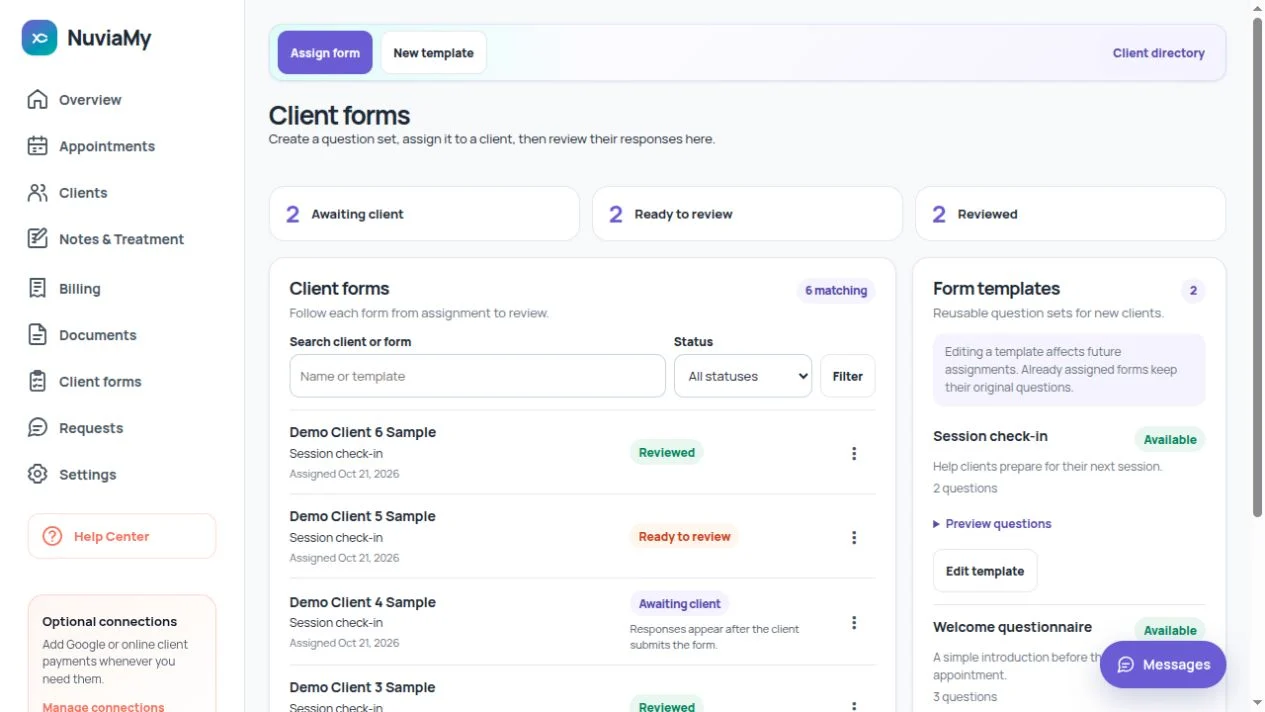
Example: send and review an intake form
Create a template with pages and question types, assign it to a client and have them complete it in their portal. Submitted responses become ready for your team to review. A later template edit does not rewrite the questions already assigned.
A clear boundary between client and team
Clients see their own portal information, not your internal dashboard. Choose which documents to share. Appointment change requests go to the practice for review instead of silently changing the calendar.
Questions before you start
Can I customize the questions?
Yes. Form templates support page titles, help text, required answers, text questions and choice-based questions. Preview the form before assigning it.
Can clients pay invoices in the portal?
Online client invoice payments require the practice to set up Stripe Connect. Without that optional connection, your team can still manage invoices and record payments.
Create a calmer client experience.
Use NuviaMy to connect intake, appointment visibility, documents, invoices, and portal requests in one practice-scoped workspace.
30 days free. No card required.
Create your workspace