Scheduling guide
Therapy scheduling software that respects clinical time.
A therapy calendar is more than a grid. It needs to support therapeutic cadence, recurring sessions, boundaries, reminders, and careful client communication.
Scheduling features that matter
NuviaMy helps practices manage appointments, therapist availability, recurring sessions, conflict prevention, Google Calendar sync, and portal-based appointment requests from one practice-scoped workspace.
Reduce missed handoffs
- Track upcoming appointments alongside client and documentation context.
- Use reminders to help clients remember sessions and reduce manual follow-up.
- Route booking and reschedule requests into a focused practice inbox.
- Keep calendar decisions connected to billing and clinical workflows.
For solo and group practices
Solo therapists can keep admin light, while group practices can coordinate therapist schedules, visibility, and shared operational workflows without losing a calm client experience.
Example: a weekly therapy appointment
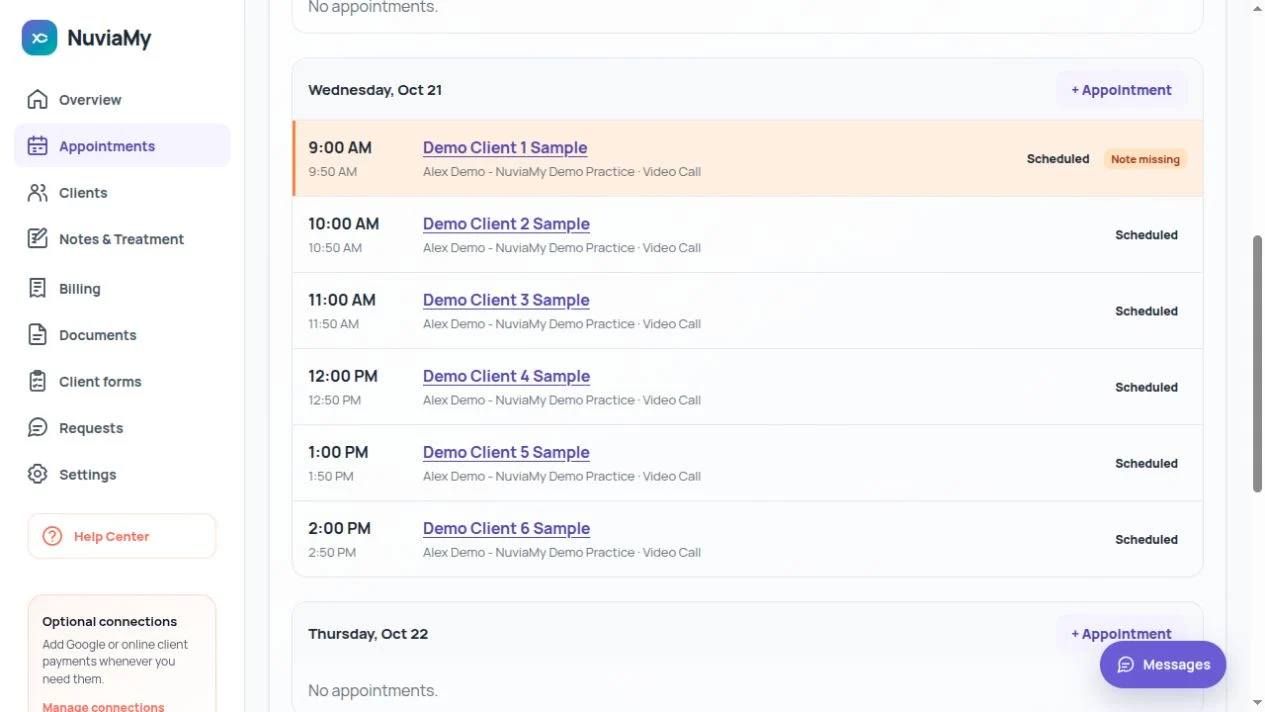
Set the therapist’s availability, choose a client and appointment time, and configure the recurrence. The calendar checks for conflicts. Open a scheduled session to keep its notes and billing connected to that appointment.
Requests stay under your control
A public booking request or client reschedule request goes to your practice for review. A request is not an automatically confirmed session. Review the details before approving a calendar change.
Questions before you start
Do I have to connect Google?
No. You can create clients, set availability and manage appointments without Google. Connect Calendar or Gmail only if you want those optional features.
What is sent to Google Calendar?
The current sync sends an occupancy block with a generic title and the appointment’s start and end times. Open NuviaMy for the client details. Review the Google data disclosures before connecting.