Guide
Therapy practice management software for calmer private practice operations.
A therapy practice management platform should help clinicians protect time, reduce administrative drift, and keep sensitive client workflows organized without feeling cold or complicated.
What therapists need in one workspace
NuviaMy brings together client records, appointment scheduling, clinical notes, treatment plans, billing, documents, intake packets, portal access, reminders, and Google integrations. This matters because therapy practices rarely struggle with one isolated task; they struggle with small handoffs between many sensitive tasks.
Key workflows to evaluate
- Practice-scoped clients, clinicians, appointments, notes, invoices, and documents.
- Scheduling with recurring sessions, availability settings, and calendar sync.
- Clinical documentation for progress notes, intake notes, diagnoses, goals, objectives, and treatment plan reviews.
- Billing workflows for invoices, superbills, packages, insurance payer settings, and follow-up.
- A client portal that separates client access from internal clinical operations.
Built around privacy-aware defaults
Therapy software should make secure behavior easier. NuviaMy is designed around tenant isolation, client-only portal access, staff access controls, and connected workflows so practices can review compliance needs with a clear operational foundation.
A day in a connected practice
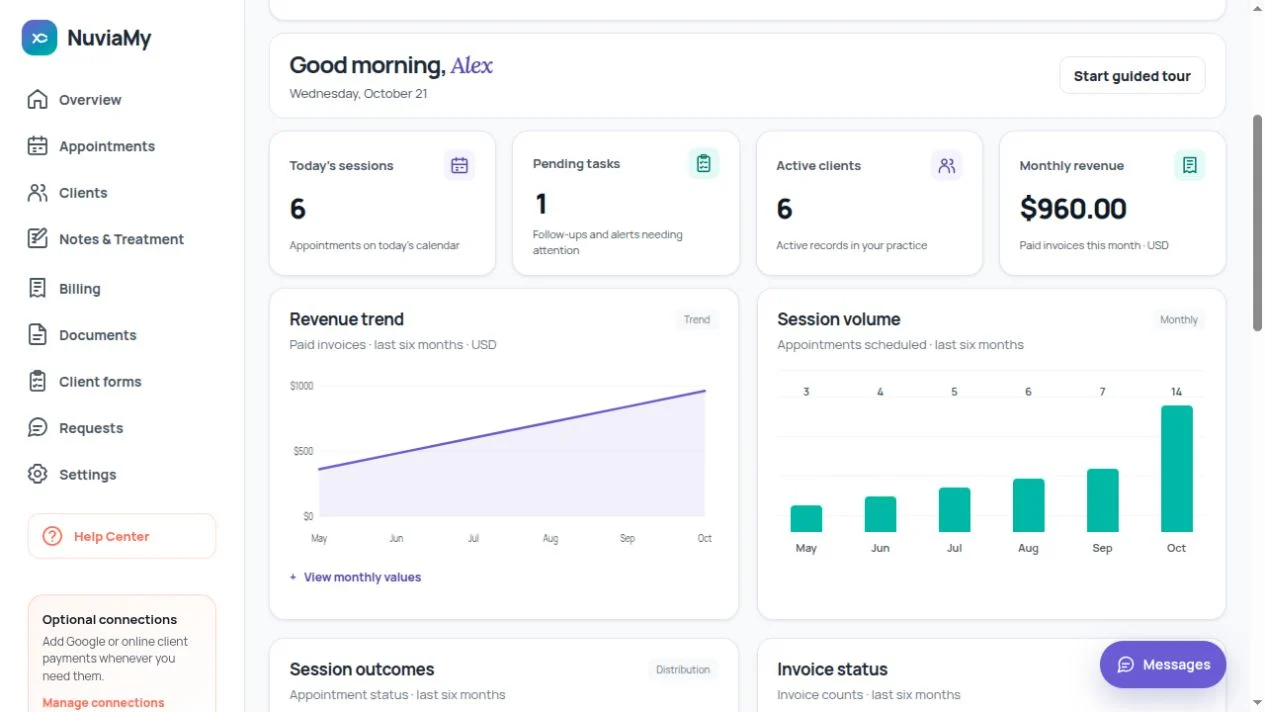
Start by checking today’s sessions and outstanding tasks. Open a client record to review the relevant appointment, write a session note, then create an invoice. Intake responses and shared documents remain available alongside the rest of the client’s record.
What changes when you add a team?
Invite clinicians and assign appropriate roles. Each practice has its own workspace; client portal accounts are separate from staff accounts. Review permissions and your practice agreements before inviting people or entering real records.
Questions before you start
Does the trial use a separate demo workspace?
The 30-day trial is your practice workspace. You can use it for your business after accepting the required agreements and reviewing the service scope. Subscription is optional and no card is needed to start.
What happens after 30 days?
Choose a paid subscription to continue creating and updating records. Trial expiry does not automatically charge your card or delete the workspace. Reading and export remain subject to your permissions.
Ready to organize your practice?
Start with a focused NuviaMy workspace for scheduling, documentation, billing, intake, and client communication.
30 days free. No card required.
Create your practice workspace